

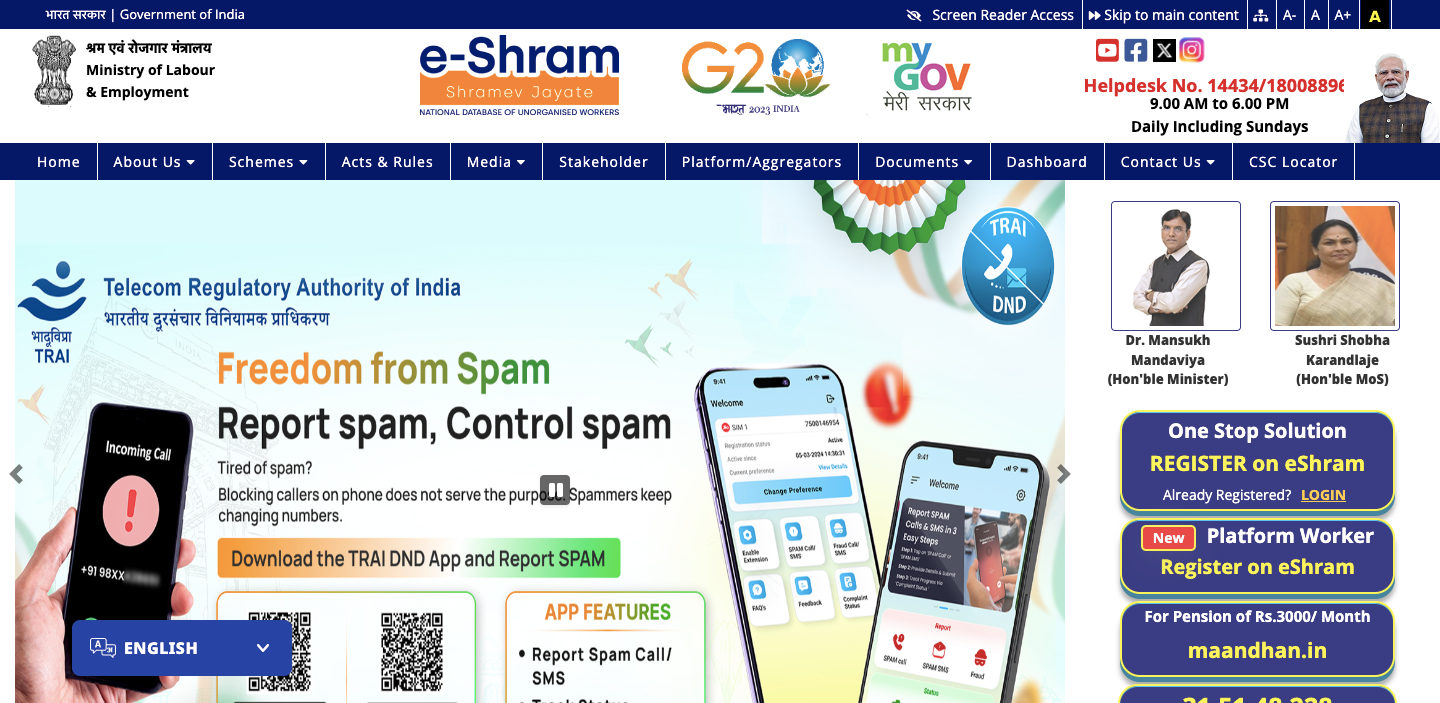
eshram.gov.in – How to Register for e-Shram Card
The e-Shram portal serves as a nationwide safety net for India’s workforce. Introduced by the Ministry of Labour & Employment, it marks the country’s first major step toward creating a unified record of workers in the unorganized sector. From a carpenter working in Bihar to a delivery associate in Bangalore, the portal acknowledges and values the role of every individual who contributes to the nation’s economic growth. By bringing millions of workers under one system, it ensures recognition, support, and inclusion for those who form the backbone of India’s labor force.
After completing the registration, every worker is allotted a 12-digit Universal Account Number (UAN). Unlike a phone number or bank account that may change over time, this UAN remains constant throughout life. It serves as a portable identity, ensuring that if a worker shifts from one state to another, their benefits, skill details, and insurance coverage move with them seamlessly. With just a single enrollment, individuals secure lifelong recognition and access to essential support across the country.
Eligibility Criteria for e-Shram Card
In 2026, the government has refined the eligibility criteria to ensure the portal serves those who genuinely require support. To access its benefits, workers are expected to fulfill four straightforward conditions that act as benchmarks. These measures are designed to keep the system focused, fair, and impactful for the unorganized workforce that depends on it:
- Age Limit: Your age should be between 16 and 59 years old.
- Tax Status: The Income Tax Payers are not eligible for this scheme.
- Formal Sector Exclusion: You should not be enrolled in schemes like the EPFO or ESIC.
- Definition of Worker: This covers those who are self-employed, engaged in home-based work, or earning through daily wage activities.
How to Register for the e-Shram Card?
You can register for the e-Sharm Card completely for free. To avoid any chances of your application being turned down, it is important to carefully follow the prescribed steps during enrollment:
- Visit the official e-Shram portal at eshram.gov.in
- There, you have to click on the “REGISTER on eShram” option.
- Enter your mobile number, CAPTCHA code, and answer all the questions.
- After that, you have to select the “Send OTP” option.
- Then, enter your Aadhaar Card number and select the “OTP” method.
- You have to fill out your Personal Info, Address, Education, Occupation, Bank Details, Preview & Submit.
How to Access the e-Shram Login Portal?
If you have completed your registration, then you will be able to access the e-Shram portal. You have to follow these steps below to access the e-Shram account:
- Visit the official e-Shram portal at eshram.gov.in
- Under the “Register on eShram” option, select the “LOGIN” option.
- Enter your mobile number and complete the CAPTCHA verification.
- After that, simply select the “Send OTP” option.
- Then, enter the OTP to access the e-Shram portal.
How to Download the e-Shram Card PDF?
You have two options to download your e-Shram Card: either using your Aadhar Number and UAN Number. Check out the steps below to download your E-Shram Card:
Download e-Shram Card by Mobile Number Linked with Aadhaar
To access and download your e-Shram Card in PDF format using either your mobile number or Aadhaar number, you have to follow these steps:
- Visit the official website of e-Shram at eshram.gov.in
- Then, you have to click on the “Login” option on the homepage.
- Enter your Mobile Number linked with the Aadhaar Card and complete the CAPTCHA verification.
- After entering the required details, you have to click on the “Send OTP” option.
- Enter the OTP that you received and select the “Submit” button.
- Then, select the “Aadhaar Number” and tick the “OTP” option.
- Complete the CAPTCHA verification and select the “Submit” button.
- Again, enter the new OTP and click on the “Validate” option.
- Leave the box unchecked and click on “Update E-KYC Information”.
- Click on the “Download UAN Card” option and select the “E Shram Card Download PDF”.
Download e-Shram Card by UAN Number
If you already possess a UAN number and want to obtain your E-Shram Card, then follow these steps below:
- Visit the Ministry of Labour and Employment website at eshram.gov.in
- There, from that page, you have to select the “Login” option.
- Under the “One Stop Solution”, select the Login Using UAN option.
- Enter your UAN number, date of birth, and complete the CAPTCHA.
- After that, you have to click on the “Generate OTP” option.
- You will receive an OTP on your registered mobile number.
- Enter the OTP in the given box and click on the “Validate” option.
- Then, click on “Download UAN Card” to download your E-Shram Card.
What Are the Benefits of the E-Shram Card?
These are some benefits that you will get through the e-Shram Card:
- If a registered E-Shram cardholder loses their life in a work-related accident, their family is entitled to financial assistance of INR 2 lakh. In situations where the worker suffers a permanent disability, a support amount of INR 1 lakh is granted to help ease the financial burden.
- As part of the Pradhan Mantri Shram Yogi Maandhan Yojana, unorganized sector workers who are registered under the scheme become eligible for a monthly pension of INR 3000 once they attain the age of 60. This initiative provides financial security in old age, ensuring a steady income for those who have spent their lives working outside the formal employment system.
- During times of crises like natural calamities or widespread health emergencies, workers registered under the scheme can be provided with financial aid by the government.
- Workers enrolled in the E-Shram Card scheme are assigned a unique 12-digit Universal Account Number (UAN). This number serves as a nationally recognized identity, valid across all states.
- Under this initiative, every worker in the unorganized sector is connected to their Aadhaar, resulting in the creation of a unified national database. This centralized system makes it easier for eligible individuals to access welfare programs and benefits offered by both state and central governments.
FAQs – E-Shram Portal
Ques: Who qualifies as an unorganized worker under e-Shram?
Ans: An unorganized worker is someone employed outside the formal sector, such as a self-employed individual, a home-based worker, or a daily wage earner. It also includes those working in the organized sector who are not covered under schemes like EPFO or ESIC. In simple terms, these are workers who lack access to structured social security benefits and are part of the informal workforce.
Ques: Are students eligible to apply for an E-Shram Card?
Ans: Students can apply for the E-Shram card only if they are at least 16 years old and engaged in part-time work within the unorganized sector, such as tutoring, delivery services, or assisting in shops. However, those pursuing full-time studies without any employment should refrain from registering, since the card is intended exclusively for individuals classified as workers.
Ques: Does the E-Shram Card remain valid beyond your home state?
Ans: The Universal Account Number (UAN) was created to ensure portability. This means that if you move from one state to another, your E-Shram card and the benefits attached to it remain valid across the entire country.
